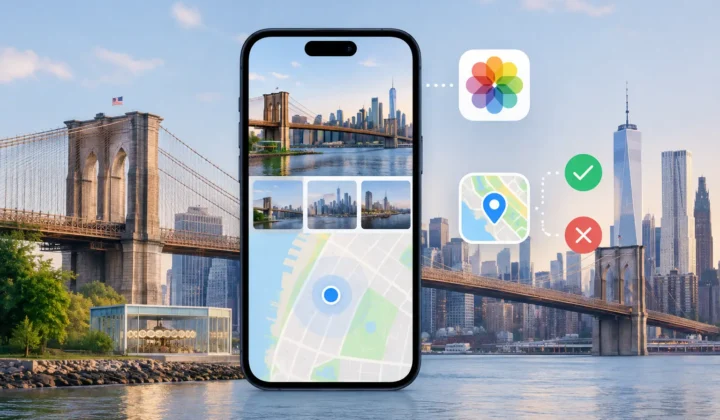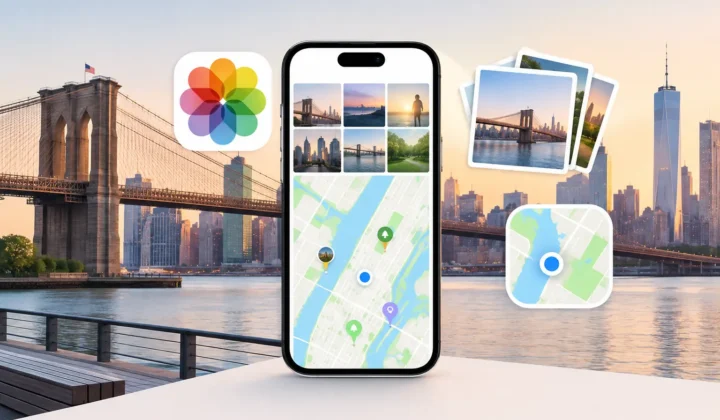

A photo library can reveal far more than its images suggest. Timestamps establish routines. Locations can identify a home, school, workplace, or favorite trail. Faces, filenames, albums, and edits add further context. This on-device image privacy guide is about keeping that context under your control when you use tools to organize, repair, or enrich your library.
For many Apple Photos users, the privacy question appears just when a task becomes tedious. A batch of scanned family prints has no location. An AirDropped album has lost its original metadata. Hundreds of camera files need a place name before a trip fades into a sequence of dates. Uploading everything to a web service may sound convenient, but it changes the privacy boundary around your memories.
Local processing is not a vague preference. It is a design decision with practical consequences: where the analysis occurs, who can access the originals, what leaves the device, and whether an automated proposal can alter a memory without your approval.
What on-device processing actually protects
An on-device photo utility analyzes your library on your iPhone, iPad, or Mac rather than sending images and their metadata to a remote server for processing. No account is inherently needed to identify a photo taken between two geotagged images. No cloud upload is inherently needed to compare timestamps, inspect neighboring locations, or calculate a likely camera-clock offset.
That matters because photo metadata is often more sensitive than the image itself. A landscape image may appear harmless, while its coordinates and capture time establish exactly where someone was on a particular afternoon. A scanned photograph may not contain location data, but the surrounding timeline can still reveal family travel, addresses, or private events.
On-device processing limits exposure by keeping the working set close to the library that already holds it. A tool can read the information it needs, generate a proposal locally, and write a change only after you confirm it. There is no separate copy of your library sitting in a vendor’s processing system simply because you wanted to correct a missing pin.
This is not the same as saying your photos can never sync. If you use iCloud Photos, confirmed metadata edits may synchronize through your own Apple account to your other devices. That is a feature of your photo library’s existing sync setup. The meaningful distinction is whether a third-party tool must upload your photos or location history to its own service to do its job.
The privacy questions worth asking before you grant access
A privacy-first workflow begins before the first scan. Read the permission request in practical terms: does the app need access to selected photos, your full library, or location services? Each permission should have a clear relationship to a feature you intend to use.
Full-library access can be reasonable for a utility designed to find missing metadata across years of photos. It allows the app to compare an untagged image with nearby, already-geotagged photos. But reasonable access is not a reason to stop asking questions. The app should explain what it examines, why it needs that information, and whether the work occurs locally.
Look for direct answers to four questions:
- Does the app require an account before it can analyze my photos?
- Are photos, thumbnails, timestamps, coordinates, or library indexes uploaded for processing?
- Can it make changes automatically, or must I review them first?
- Can I undo an applied metadata change if I later find better evidence?
A clear local-processing policy is useful, but the product behavior should support it. If an app can show its evidence beside a proposed location, you are not being asked to trust an unexplained result. If it groups related photos for review rather than silently editing thousands of files, it preserves a meaningful decision point.
An on-device image privacy guide to safer location repair
Location repair is a useful test case because it combines personal data with uncertainty. There are situations where a location is strongly supported. There are also situations where placing a pin would be guesswork. A private workflow should respect both boundaries.
Start with the timeline. Suppose a photo without GPS was captured at 2:04 PM, between two photos taken at the same museum at 2:02 PM and 2:06 PM. The neighboring images are useful anchors. The short gap and matching location make a proposed placement understandable.
Now change the gap to six hours. The photos before and after may have coordinates, but they do not prove where the untagged image belongs. The user may have traveled across town, changed venues, or left the camera behind. A responsible tool should communicate lower certainty or decline to propose a pin at all.
This is the distinction between inference and invention. Evidence-based inference can save substantial manual work, especially in large libraries. Invention creates tidy metadata that may be wrong, and a wrong location can be harder to notice than a missing one.
Photo Geotag is designed around this boundary. It scans for untagged photos positioned between location-bearing images, presents grouped proposals, and makes the supporting timeline visible before anything changes. Never a confident pin it cannot justify is a useful standard for any tool that edits memory metadata.
Review is a privacy feature, not extra friction
Automation often gets framed as a choice between speed and control. For personal photo libraries, that is incomplete. Review protects accuracy, but it also protects privacy. It gives you a chance to notice that a proposed location is more specific than you want preserved, that a family image belongs in a different place, or that a set of photos should remain untagged.
A good review screen makes the decision legible. You should be able to see the candidate photos, the anchors supporting the proposal, the distance in time, and the confidence level. Color-coded certainty can help, provided the color is paired with an explanation rather than treated as a verdict.
Group review matters as well. Ten photos from the same afternoon may share the same evidence, so reviewing them together is faster and less repetitive. Yet grouping should not remove control. You should still be able to exclude a single image, adjust a place manually, or skip the entire group.
The same principle applies to incorrect camera clocks. Dedicated cameras from Canon, Nikon, Sony, and Fujifilm may record accurate images but a clock that is several hours ahead or behind. If a tool detects a consistent offset, it should show the pattern and let you approve a correction. Quietly treating the camera’s time as correct can produce a plausible-looking but misplaced run of photos.
Keep changes narrow, visible, and reversible
The safest metadata workflow follows a simple sequence: scan, confirm, apply. The order matters. Scanning should inspect evidence without changing the library. Confirmation should let you decide which proposals are justified. Applying should write only the changes you approved.
Before applying a larger batch, test the workflow on a small, familiar group. Confirm that the suggested place matches your own recollection and that the app’s explanation makes sense. This is especially helpful for scanned prints, where a date may be approximate, and for messaging exports, where the saved timestamp can reflect receipt rather than capture.
Reversibility is equally important. A reliable utility should keep a record of its writes so you can undo a batch rather than repair each image manually. Undo does not make careless edits harmless, but it changes the risk of trying a well-explained workflow. You remain able to revise the library as better information emerges.
Manual editing should remain available for the cases algorithms cannot resolve. Perhaps you know a photograph was taken at a relative’s house, but there are no nearby GPS anchors. Perhaps a trip crossed several locations within a short period. The correct response is not to force confidence. It is to let you place, refine, or leave out a location based on knowledge the device cannot possess.
Privacy includes the choice to leave data missing
There is a natural temptation to make every photo complete. A full map view is satisfying, and a well-organized library is easier to revisit. But not every missing field needs to be filled. An image without a location is sometimes the most truthful record available.
That restraint is particularly valuable for sensitive places. You may decide not to tag a home address, a child’s school, a medical visit, a shelter, or a private gathering, even when the evidence is clear. Local tools give you a better chance to make that decision before information is copied into another service or attached to a shared export.
Treat metadata as part of the memory, not administrative cleanup. When a proposed location is justified, review it and apply it with confidence. When the evidence is thin, keep the photo untagged or add the location yourself. The right result is not the most complete map. It is a library whose details still deserve your trust.