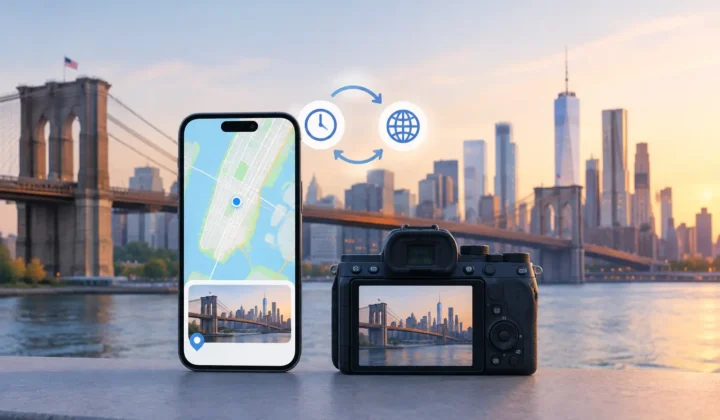

A photo of a child blowing out birthday candles is easier to find when its date and place are intact. Years later, “somewhere near Grandma’s house” is not much to search with. Yet location data commonly disappears when a photo is scanned, saved from WhatsApp, received through AirDrop, taken indoors without a GPS lock, or imported from a dedicated camera.
A privacy focused photo management guide starts with a simple distinction: organizing your library should not require handing your library to someone else. Your photos contain more than faces and scenery. They can reveal homes, schools, routines, travel dates, and relationships. Any tool that helps repair or organize that record should make its handling of those details clear.
Start With a Local-First Privacy Model
Photo management is often presented as a storage problem. It is also a data-handling decision. A service that asks you to upload a library, create an account, or grant broad cloud access may be convenient, but convenience has a cost: your images and metadata must leave the device before work can begin.
For many personal libraries, local processing is the more appropriate default. The analysis happens on your iPhone, iPad, or Mac. The photos remain in the existing library. There is no separate copy to reconcile later, no account that becomes another point of exposure, and no remote system making opaque decisions about family memories.
Local-first does not mean every action is automatically safe. It means the boundaries are easier to inspect. Before using any photo-management utility, understand three things: what it can read, what it can write, and whether each change can be reviewed and reversed. A privacy claim without clear answers to those questions is incomplete.
Treat Location Repair as Evidence, Not Guesswork
Missing location metadata creates a tempting automation problem. A tool can see that a photo has no coordinates and assign a plausible place. Plausible is not the same as justified.
The most useful evidence is often already in the timeline. Imagine geotagged photos at 2:01 p.m. and 2:05 p.m. at the same museum, with three untagged photos between them. The missing images have a strong temporal relationship to known location anchors. A grouped proposal for that museum is reasonable, provided the app shows the evidence and asks for confirmation.
Now change the gap from four minutes to six hours. The same proposed pin may be possible, but it is no longer supported in the same way. The person could have traveled across town, gone home, or visited several places. A careful system should lower its certainty, present a broader possibility, or decline to propose a location at all.
This is the standard worth looking for: never a confident pin the evidence cannot justify. A blank location can be more honest than a precise-looking error.
Use Anchor Photos Carefully
A geotagged photo is an anchor, not automatic proof for every neighboring image. Strong anchors tend to be close in time, geographically consistent, and part of a sequence. Two photos taken minutes apart at the same coordinates offer better support than one photo taken early in the morning and another late that night.
Review the images themselves, too. A restaurant interior, a hotel room, or a trailhead can confirm that a proposed location makes sense. When visual context conflicts with the timeline, trust the conflict. It may reveal an incorrect timestamp, a camera clock issue, or an anchor photo with bad metadata.
Watch for Camera-Clock Offsets
Dedicated cameras introduce a separate problem. Canon, Nikon, Sony, and Fujifilm files may arrive without GPS coordinates, and their internal clocks may not match the time on an iPhone. A camera set one hour behind can make an otherwise sound timeline look wrong.
Do not force locations onto those files before checking for a consistent offset. If a camera sequence repeatedly falls an hour before nearby phone photos from the same outing, that pattern is useful evidence. Correcting the clock relationship first can turn a confusing set of proposals into a coherent group. If no stable pattern exists, manual placement or leaving the photos untagged may be the better choice.
A Privacy Focused Photo Management Workflow
A careful workflow has three stages: scan, confirm, and apply. The order matters because it separates analysis from modification.
Scan Without Changing Anything
The scan should identify photos with missing location data and compare them with nearby geotagged images in time. Nothing should be written during this stage. The goal is to surface candidates, not silently improve them.
For a large library, grouping matters. Reviewing 300 individual photos is tiring and error-prone. Reviewing one clear proposal for a set of images from the same afternoon is manageable. Good grouping preserves the ability to inspect individual images while reducing repetitive decisions.
Timeline scale also changes what you can see. A day-level view may show the shape of a road trip. A minute-level view may reveal that a short gap sits between two photos at the same café. Use the wider view to understand the event, then narrow in before accepting a precise location.
Confirm What the App Is Claiming
A proposal should communicate its certainty directly. Color, labels, and visible anchor photos can help, but the essential point is that the user can tell the difference between strongly supported, uncertain, and unsupported placement.
Ask practical questions before confirming: Are the surrounding timestamps close enough? Do both anchors point to the same place? Does the subject matter fit? Is there a timezone or camera-clock discrepancy? If the answer is unclear, edit the proposal manually or skip it.
Photo Geotag follows this evidence-based approach by showing grouped location proposals from nearby timeline anchors, while leaving the final decision with the user. The app does not need a cloud upload or account to inspect that evidence, and it does not silently turn uncertainty into a pin.
Apply Deliberately and Keep a Way Back
Writing metadata is a real change to a personal archive. Treat it accordingly. Apply only the reviewed groups, and make sure the tool records what it changed so that you can undo it later. Reversibility is not a minor convenience. It is what makes careful experimentation possible when you are repairing years of history.
After applying a batch, spot-check it in the photo library. Search by place, inspect the map, and open a few photos near the beginning and end of each group. This catches edge cases, especially on travel days where one event transitions into another.
Preserve More Than Location Metadata
Location is only one part of photo management, but it has unusual sensitivity. A bad caption is annoying. An inaccurate home address or school location attached to a photo can affect how that memory is found, shared, or interpreted.
Keep original files and avoid workflows that flatten edits into exported copies unless you have a reason to do so. Check whether a tool modifies your existing library, creates duplicates, or strips other metadata during export. For scanned family prints, record a date range when the exact date is unknown rather than inventing precision. For an old vacation, a city-level location may be appropriate even when a specific address is not.
The same restraint applies when sharing. Before sending an image outside the family, consider whether its location should travel with it. Privacy-focused management is not only about where processing occurs. It is also about deciding which context stays private when a photo leaves your library.
Build a Review Habit That Holds Up Over Time
The safest way to repair a large library is in small, understandable batches. Start with one trip, one scanned album, or one camera import. Learn how the proposals behave around gaps, transitions, and clock differences before processing years of photos at once.
A useful rhythm is to scan after a meaningful import, review only high-confidence groups first, and return later for ambiguous cases. That preserves momentum without pressuring you to decide what the evidence cannot establish. Your library does not need every empty field filled. It needs changes you can stand behind.
The value of a well-managed photo library is not a map full of pins. It is the ability to return to a memory with its context intact, while keeping control of the record in the place it belongs: with you.